
3:50 video with Jacob Swenson
How to Adjust the Force Settings on a Garage Door Opener
Jacob's full walkthrough for setting an opener's up and down force, plus the board test that makes sure the door reverses when something is in the way.
What you'll need
- A remote
- A 2x4 or other object about 1½ inches thick
- A ladder
Step by step
Feel the closing force
Run the door down with the remote and catch it. It should take only about 5 to 10 pounds of push to make it reverse. Any harder and it could damage the door.
Feel the opening force
Run it up and hold it back. If it can lift 20 to 30 pounds of you, it's set too high. Aim for about 5 to 10.
Do the board test
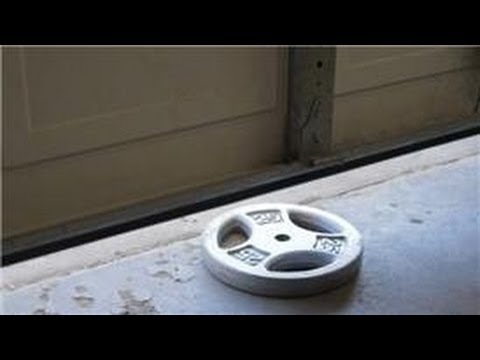
Lay a 2x4 flat in the door's path and close the door. It should touch the board and reverse.
Fix a door that won't reverse
If it stops and holds on the board, adjust the down limit a couple of turns and lower the down force slightly, then test again.
Adjust in small steps
On the back of the opener, turn the open and close force settings up for more push or down for less. Move a little at a time, never from 1 straight to 9.
Many newer openers set force automatically. If yours has no force dials, check the manual or give us a call before adjusting anything.
Filmed in 2012. The basics haven't changed, but newer doors and openers may differ a little. Springs and cables are under high tension, so never adjust them yourself.


Door acting up? Talk to Jacob.
Tell us what's going on and get a straight answer and a clear price. $19.95 off any repair for new customers.